
|
drive.web
savvy-SFD
FBE & Device Viewer Icons
|
 Device
The uppermost icon in the Viewer windows is the currently active device. This may be a speedy, smarty, or serial device as follows:
 speedy485 speedy485 |
smarty |
 speedy485-o speedy485-o |
||
 speedy-sp speedy-sp |
 smarty2 smarty2 |
smarty-o |
||
| serial PL |
 speedy-se speedy-se |
serial ODP |
 System
The System icon only exists in drive.web devices with a Function Block Engine (i.e., not serial devices). Click on the icon to open the System status page.
 Graphic File Active
Generally, serial devices have no physical memory in which to store the graphical data associated with an SFD configuration. Therefore, a file is required in which to store graphical data. This icon indicates there is a graphical file selected to which changed data is continuously being written to prevent loss of your SFD Diagram between device exports.
 No Graphic File Selected
This icon indicates there is no file currently selected for storing your graphical data and you could lose your SFD Diagram changes. To rectify this problem, simply right-click on the icon and either select or create a .dw-graphics file.
 Pagelink
This icon links the FBE Viewer to another savvy page. The linked page may be a setup screen for a drive.web option (e.g., Modbus or ModbusTCP), a device specific calibration page, a Quickstart for a device, or a any screen with additional information for the associated device.
 Connection
Connections between function blocks which are active AND placed in the SFD Diagram are represented by this icon.
 Unplaced Connection
Connections between function blocks which are active but NOT placed in the SFD Diagram are represented by this icon.
 Unresolved Connection
Connections where either the source or destination cannot be resolved by savvy are represented by this icon. Half of the connection is either not visible to savvy due to the the device not being present in the Device Directory or the connection being only partially deleted.
 Active Function Block
Function blocks which are active AND placed in the SFD Diagram are represented by this icon.
 Inactive Function Block
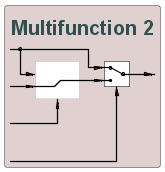
Certain device function blocks have to be activated to execute. Function blocks of this type are inactive AND placed in the SFD Diagram are represented by this icon. Function blocks of this type will have a reddish background in the SFD Diagram as follows:
 Unplaced Function Block
Function blocks which are active but NOT placed in the SFD Diagram are represented by this icon.
 Inactive, Unplaced Function Block
Function blocks which are inactive AND NOT placed in the SFD Diagram are represented by this icon.